Things we made and we loved it
These are not the gateway. They are small tools that stand on their own, built next to the gateway because we needed them, then given away: each one solves a single problem, runs entirely on your own machine, needs no account, and costs nothing.
Two are here today, and this is where the rest will land. What each one is, what it runs on, and the command that starts it, below.
PSIRTMap
A package scanner tells you that openssl 3.0.8 matches a vulnerability. PSIRTMap answers the question a product security team has to answer next: which versions of the products we actually shipped may contain that component.
The object it works on is a product release, not an image or a filesystem. You import a release's CycloneDX SBOM; it walks nested components, derives OSV identities from the package URLs, records the document hash, and merges a repeated import rather than duplicating it. From then on a scan is a question about the release, and findings are durable across scans: new, existing, reopened and no longer matched are four different states the tool keeps for you.
What it reports is potential impact, never a verdict. A version match is evidence, so the last step is a human one: an assessment that is only ever added to, carrying a status, a reviewer, a reason, evidence and a timestamp, and nothing already in the history is ever overwritten. Everything is local. The database is one SQLite file under your home directory, there is no server and no account, and the only command that touches the network is the one that updates the vulnerability snapshot.
$ go install github.com/solongate/psirtmap@latest- Written in
- Go, shipped as a single binary for macOS, Linux and Windows
- Storage
- one local SQLite file, no server and no account
- Takes
- CycloneDX JSON, 1.2 through 1.7
- Data
- OSV, synchronised into a local snapshot you can scan offline
- Interface
- a dashboard you drive from the keyboard, and the same thing as commands
- Status
- before 1.0, currently v0.0.7
solongate-audit
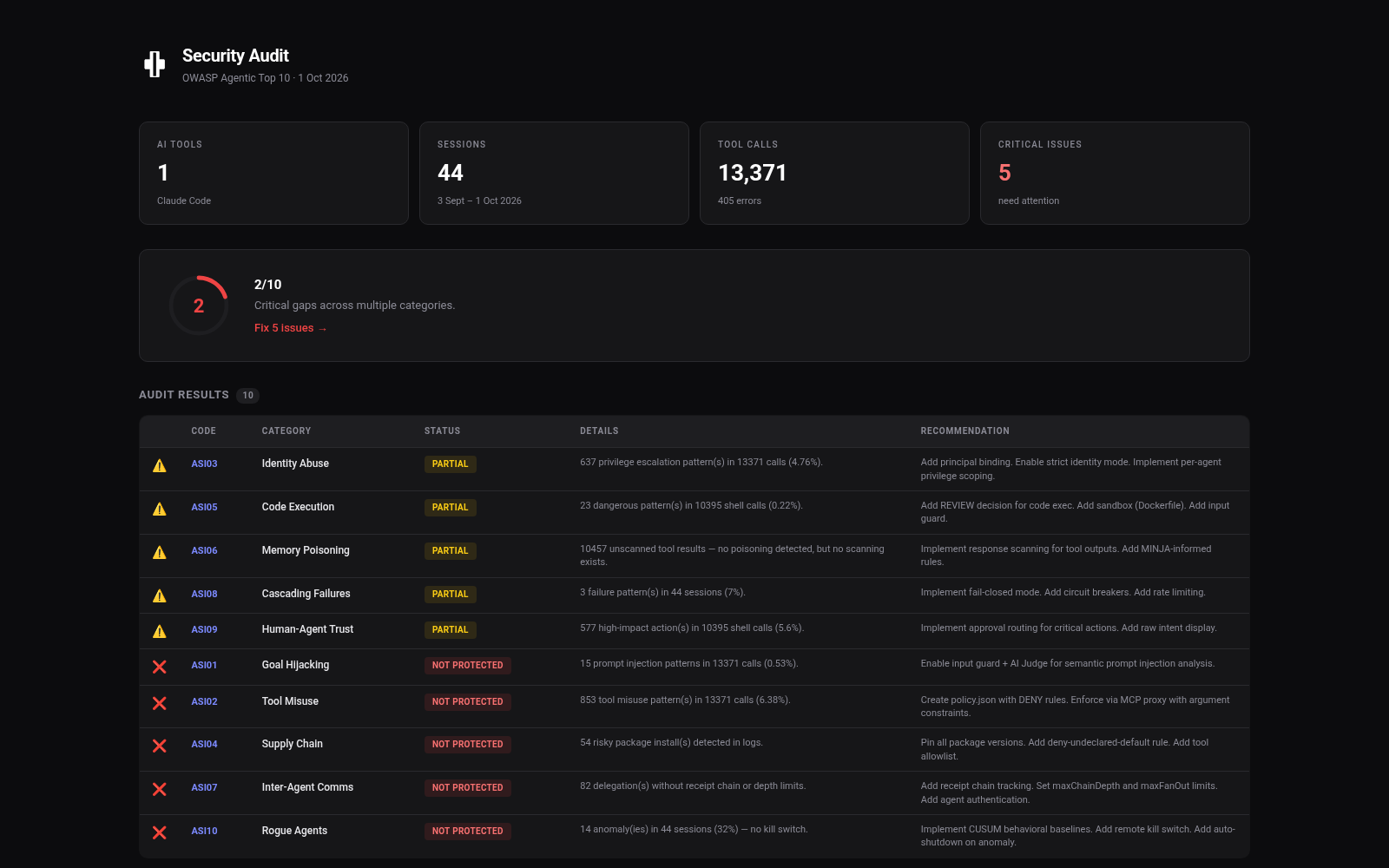
Your coding agents have been running tools for months, and the record of it is already sitting on your disk. solongate-audit reads those session logs, pulls out every tool call it finds, and checks the patterns against the OWASP Agentic Top 10 for 2026.
It reads what is already there rather than instrumenting anything. Claude Code, Gemini CLI and OpenClaw session logs are found in their default locations with no configuration, and extra directories can be added if yours are somewhere else. Nothing is sent anywhere: the reading and the scoring both happen on the machine.
Each of the ten categories comes back PROTECTED, PARTIAL or NOT PROTECTED with the count behind it, which is what makes a result arguable rather than a number to take on faith. The score is the sum out of ten, the exit code is zero at seven or better so it can gate a build, and the report exports to JSON, CSV, a filterable HTML page or a PDF ready to print.
Install it from a checkout for now: clone the repository, then npm install and npm run build, and run dist/index.js. The published npm package was taken down in June, so the npx line in the README does not resolve today.
$ git clone https://github.com/solongate/solongate-audit- Written in
- TypeScript, needs Node 18 or newer
- Reads
- Claude Code, Gemini CLI and OpenClaw session logs
- Checks
- the ten OWASP Agentic categories, ASI01 through ASI10
- Reports
- terminal, JSON, CSV, HTML and a PDF ready to print
- In CI
- exits 0 at 7/10 or better, 1 below it
- Network
- none; the logs are read where they already are